

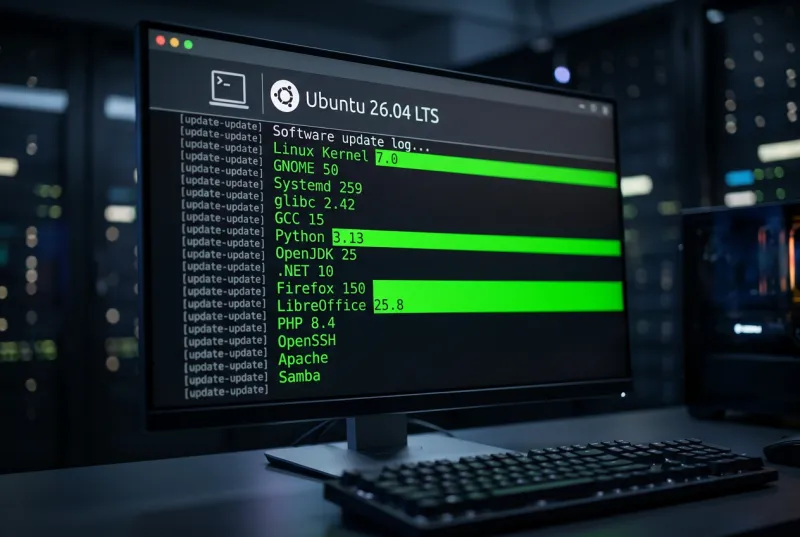
Ubuntu 26.04 LTS (codename Resolute Raccoon) was released in April 2026 as a long-term support release. Key highlights include a newer Linux 7.0 kernel, the GNOME 50 desktop with revamped apps, updated compilers/runtimes, improved installer and hardware support, and tightened security. Ubuntu 26.04 remains Snap-centric for default apps and retains 5-year support (to April 2031, with 10-year ESM via Ubuntu Pro). Below, Bacloud reviews major changes from the release notes:
Desktop Environment & Apps
- GNOME 50: The desktop was upgraded from GNOME 46 to GNOME 50. New GNOME features include per-app “autostart” settings, better fractional scaling, and a new default Sysprof utility for performance profiling. Wayland is now the only Ubuntu Desktop session (Nvidia is fully supported on Wayland).
- Updated applications: Default apps saw big bumps. Firefox is now version 149/150, LibreOffice 25.8, Thunderbird 140 “Eclipse”, and GIMP 3.0 (from 2.10). In particular, the PDF viewer switched from Evince to the new Rust-based Papers app, and the image viewer is now Loupe (Rust/Glycin) instead of Eye of GNOME. The default terminal is now Ptyxis (replacing GNOME Terminal), and the video player is Showtime (replacing Totem).
- Wayland & Display: The installer’s live session and default desktop run only on Wayland (XWayland still runs X apps). NVIDIA graphics cards now fully support Wayland; however, there is a known issue with resuming from suspend on NVIDIA (the fix is to choose “Ubuntu on Xorg” at login).
- Installer & UX: The new desktop installer is more accessible (screen-reader fixes, though some locales require an Internet download). The Software & Updates app was removed from the default install (it can be reinstalled via
software-properties-gtk). The GNOME “App Center” (software store) adds progress indicators, better update handling and improved snap management. A new Security Center lets users enable/disable experimental home-directory permission prompting. Power Profiles Manager was optimized (especially for AMD) and now auto‑adjusts on battery. - New formats & thumbnails: Ubuntu 26.04 supports JPEG XL out-of-the-box (no extra packages needed). Video/audio thumbnails are now generated by a new gst-thumbnailers project (with better frame selection, via the Glycin library) instead of Totem’s old thumbnailer. The Tracker indexer was replaced by LocalSearch, updated to v3.11 with new extractors (e.g., for media files).
- ARM64 & dual-boot: A generic ARM64 Desktop ISO is now official (targeting VMs, EFI devices, and Snapdragon X Elite “Windows on ARM” hardware). Dual-boot installer behavior was enhanced to install alongside BitLocker-protected Windows (auto-resizing partitions) and to expose encrypted/install options in dual-boot scenarios.
Core and Performance
-
Kernel: Ubuntu 26.04 runs the Linux 7.0 kernel (up from 6.8). New kernel features include enabled-by-default crash-dumps for desktop/server installs and a novel eBPF-based scheduling framework (“sched_ext”) for user-space policy. The old
linux-lowlatencypackage was retired in favor of the generic kernel plus a user-spacelowlatency-kerneltuning package. Note: cgroup v1 support was removed (only cgroup2 is supported). -
Systemd: Updated from v255 to 259. This is the last Ubuntu with System V init-script compatibility (legacy SysV should be migrated to native units). The default includes upstream
tmp.mount, so that /tmp is now a tmpfs. -
Networking: Netplan was bumped from v1.0 to 1.2. It adds things like a custom “network-wait-online” that handles link-local addresses, and new flags for skipping broken configs. Support for WPA-PSK-SHA256 Wi‑Fi and routing policies has also been added.
-
Package management: APT was updated from 2.7 to 3.1. Notable changes: a new dependency solver used automatically when needed, a switch from GnuTLS to OpenSSL for TLS/hash (smaller minimal install footprint), and an automatic pager for long listings. The legacy
apt-keycommand was removed (key management now usesgpgvdirectly). Ubuntu 26.04’s installer now uses Dracut for the initrd (replacing the old initramfs-tools), enabling features like Bluetooth and NVMe-oF in initramfs. -
Development toolchain: Major tool updates include GCC 15.2 (from 14), binutils 2.45, glibc 2.42 (from 2.39), Python 3.13.9 (3.12→3.13, with 3.14 available), LLVM 21 (from 18), Rust 1.93 (from 1.75), Go 1.25 (from 1.22). .NET Core was upgraded from 8 to 10 (including new Power architecture support). New snaps for developers include Spring/SpringBoot devpacks and GraalVM (via snaps). Java support was updated: OpenJDK 21→25 (with LTS 17/21 certified) and OpenJDK 26/27 previews. Zig 0.14.1 is now included by default.
-
Gaming & graphics: AMD/Intel VA-API hardware video decoding/encoding is enabled by default. A new WinNT synchronization driver (NTSYNC) was added for Wine/Proton games, improving game performance on Ubuntu.
Server, Cloud & Virtualization
-
Server packages:
- OpenSSH was updated to 1:10.2p1 (was 9.6p1 in 24.04). It now warns on SHA1 SSHFP keys, removes DSA signatures, adds post-quantum “mlkem768x25519-sha256”, new PerSourcePenalties, etc..
- Chrony 4.8 is now the default NTP daemon (replacing systemd-timesyncd). For upgrades, Ubuntu provides a migration path (
apt-mark auto systemd-timesyncd; apt install chrony). Chrony uses authenticated/encrypted NTP by default, pointing to the new Ubuntu time servers snippet. - Exim4 4.99.1 (from 4.5) brings many fixes and performance improvements (e.g. reduced forks) and closes recent CVEs.
- Kerberos now includes
/etc/krb5.conf.d/support by default (auto-including snippets). - PHP 8.5.2 (from 8.4→8.5.2) includes numerous language enhancements (pipe operator, new attributes, etc.).
- Samba 4.23 (new major release) defaults SMB3 Unix extensions on, disables NetBIOS by default, and adds other improvements.
- OpenLDAP 2.6.10 now runs under AppArmor and supports changing the PBKDF2 iteration count via patch.
- Many other updates: multipath-tools 0.12.2, SSSD 2.12, Squid 7.2, SoSreport 4.10.2 (new plugins), strace 6.19 (adds colored output), etc..
-
Containers & Cloud: Ubuntu 26.04 updates its container stack: containerd updated to 2.2.2 and runc to 1.4.0. The official Docker package (docker.io) is now version 29; fresh installs use containerd’s image store by default. Libvirt was bumped to 12.0 with new bH (bhyve) features, NVMe and ARM64 support, etc.. QEMU 10.2.1 adds fixes for Windows 11 VMs (new “noble” PC types), Hyper-V improvements, RISC-V/S390 extensions, etc.. Cloud images are now built with AMD64v3 by default (dropping older Intel Ivy/Sandy Bridge on GCP).
-
Security & compliance: Ubuntu 26.04 includes many new AppArmor profiles (improving sandboxing of default apps). It introduces TPM-backed full-disk encryption for Desktop (with limitations). In general, 26.04 sees no major relaxations of security defaults. (All existing password/passphrase policies and firewall settings remain, with
authdfor cloud auth updated with new providers.) With Ubuntu Pro, Extended Security Maintenance (ESM) is available up to April 2036.
Packaging & Third-Party Sources
Ubuntu 26.04 continues Ubuntu’s Snap-first policy: core desktop apps like Firefox and Thunderbird remain Snaps by default, and Flatpak is not pre-installed or managed by default. (Ubuntu’s official policy allows snaps to be auto-installed, but does not enable Flatpak automatically.) The Software Store includes third‑party APT repositories or snaps only if explicitly approved. PPAs are still discouraged for system packages by default.
In practical terms, if you prefer Flatpak, you must install it yourself (apt install flatpak or GNOME Software with the flatpak plugin), and any Flatpak apps (e.g., Firefox from Mozilla’s official Flatpak) must be manually managed. All default Ubuntu packages (deb or snaps) remain under Ubuntu’s quality control.
Upgrade Path & Support
- Upgrade: To move to 26.04 LTS, Ubuntu requires that you be on a recent release first. If you’re on 22.04 LTS or 25.04, upgrade first to 24.04 LTS or 25.10, respectively, then run do-release-upgrade to 26.04. Upgrades are performed via the normal
do-release-upgradepath; once 26.04.1 is out, upgrades from 24.04 will be fully supported. - Support lifetime: Ubuntu 26.04 is an LTS, supported for 5 years (until April 2031). Ubuntu Pro/ESM extends some packages to 10 years. Interim releases (like 25.10) have only 9 months of support, so please plan to upgrade them as soon as possible.
- Rollback: There is no automatic “undo” for a release upgrade. Administrators should back up data or use snapshots (LVM, ZFS, cloud images) before upgrading. If a serious problem arises after upgrading, the supported recovery path is to restore from backup or reinstall the older release, rather than try to downgrade the OS.
- Known issues: The official release notes list a few caveats. The new desktop installer’s live session is not yet localized (non-English installs need net access to fetch language packs). NVIDIA cards can have graphical glitches resuming from suspend on Wayland (workaround: log in on Xorg). TPM‑backed FDE has limitations (e.g. it may not support NVMe RAID or custom kernel drivers; see notes for disabling VMD/Snap as needed). On servers, Apache2’s new hardening (MemoryDenyWriteExecute) can break PHP-JIT (either switch to PHP‑FPM or disable the setting). PostgreSQL may see perf regressions on Linux 7.0 unless transparent hugepages are enabled. For a full list of issues, see the official release notes.
Comparison of Major Components
| Component | Ubuntu 24.04/25.x Version | Ubuntu 26.04 Version | Impact / Change |
|---|---|---|---|
| Linux kernel | 6.8 | 7.0 | New features (sched_ext eBPF scheduler, multi-stack performance), cgroupv1 removed. Crashdumps on by default. |
| GNOME desktop | 46 (with apps & libs from 24.10/25.x) | 50 | UI refinements (autostart apps, better scaling, font tweaks), Sysprof tool added. Only Wayland session, all X apps via XWayland. |
| Systemd | 255 | 259 | Final release with SysV support; cgroupv1 disabled; /tmp=tmpfs by default. |
| Netplan | 1.0 | 1.2 | Improved configuration (wireless WPA-PSK-SHA256, routing-policy, SR-IOV fixes). |
| APT | 2.7 | 3.1 | New dependency solver fallback, OpenSSL for TLS, automatic pager, apt-key removed. |
| Initramfs | initramfs-tools | Dracut | Uses systemd in initrd; supports new hardware (e.g. Bluetooth, NVMe-oF). |
| Firefox (desktop) | (Snap) v115 (?) | (Snap) v149/150 | Updated to the latest ESR; still distributed as Snap by default. |
| LibreOffice | 24.2 | 25.8 | Major upgrade (new features and fixes). |
| Thunderbird | 115 “Kernels” | 140 “Eclipse” | Upgraded mail client (new features). |
| GIMP | 2.10 | 3.0 | Major version jump (GTK4 port, Rust core). |
| OpenSSH | 9.6p1 (in 24.04) | 10.2p1 | Added PQC KEX, removed DSA keys, new security options. |
| Chrony vs ntpd | systemd-timesyncd │ Chrony 4.8 | Chrony 4.8 | Chrony is new default NTP for fresh installs (Migrate existing as instructed). |
| Python | 3.12 (3.14 in 25.10) | 3.13.9 (3.14 also in repo) | Point-release bump, 3.14 present for testing. |
| glibc | 2.39 | 2.42 | Updated C library. |
| LLDB/Clang | LLVM 18 | LLVM 21 (Clang 21) | Big jump in compiler stack. |
| .NET | .NET 8 | .NET 10 | Major update including new PowerPC support. |
| Docker | docker.io (v 25?) | 29 | New Docker release; uses containerd 2 image store by default. |
Technical notes for sysadmins
- Upgrade commands: Use
do-release-upgradefrom 24.04/25.10. For Chrony migration: runsudo apt-mark auto systemd-timesyncdandsudo apt install chrony. - Kernel modules: Linux 7.0 is now on HWE. If using TPM/FDE, update
snapdto 2.75 to fix the custom layout prompt. Thevmd(Intel Volume Manager) kernel module is not included in the signed kernel snaps; disable RAID in the firmware or omit TPM/FDE to use it. NVIDIA DKMS modules are not supported with TPM/FDE (only Ubuntu’s NVIDIA driver snap is). - Service scripts: Any old SysV init scripts must be converted to systemd service files, since 26.04 drops SysV compatibility. Check
/etc/init/for upstart jobs (none should remain from past releases). - cgroups: Since cgroup v1 is gone, container workloads on cgroupfs or legacy hierarchy will be affected. Kubernetes/node environments should use cgroup2.
- Keys and repos: Because
apt-keyis removed, ensure any apt repository signing keys are placed in/etc/apt/trusted.gpg.d/or use the signed-by option. Avoid relying on apt-key in scripts. - Security updates: Ubuntu Pro users get ESM with kernel and high-severity fixes beyond 2031. No upstream ESM (PPAs) are enabled by default; use only the official Ubuntu archives.
- PPAs: The Ubuntu Technical Board policy forbids enabling arbitrary PPAs by default. Sysadmins can still add PPAs manually, but by default, only Ubuntu archives are used.
FAQ
Q: How do I upgrade to Ubuntu 26.04?
A: First, ensure you’re on Ubuntu 24.04 LTS or 25.10. Then run sudo apt update && sudo apt full-upgrade, followed by sudo do-release-upgrade -d. Reboot and you’ll be on 26.04. (Note: 26.04.1 will mark the official upgrade path.) On older LTS (e.g. 22.04), first upgrade to 24.04.
Q: What if something goes wrong? Can I rollback?
A: There is no built-in rollback for a release upgrade. If issues occur, restore from backups or snapshots of your previous system. We recommend taking a full backup or filesystem snapshot before upgrading. If problems arise, you can revert by restoring the backup or reinstalling the previous Ubuntu version.
Q: What is Ubuntu 26.04’s support timeline?
A: As an LTS, Ubuntu 26.04 is supported for 5 years (until April 2031). After that, Ubuntu Pro subscribers can continue to receive critical/security fixes via ESM for an additional five years (to 2036). Interim releases (like 25.10) are supported for only 9 months.
Q: Can I install apps as Flatpaks?
A: Flatpak is not included by default. You may install flatpak from apt and add Flathub manually, but Ubuntu’s default apps remain Snaps or debs. The official policy allows snaps to be auto-enabled, but any Flatpak must be opted in by the user.
Q: What are the biggest new packages?
A: See the table above. In summary, Linux 7.0, GNOME 50, Systemd 259, glibc 2.42, GCC 15, Python 3.13, OpenJDK 25, .NET 10, Firefox 149/150, LibreOffice 25.8, etc. All core services (OpenSSH, Apache, PHP, Samba, etc.) have been updated (see official release notes).
Q: When will Ubuntu 26.04 be available with Bacloud services?
A: Ubuntu 26.04 LTS will be available in the Bacloud platform already this month. Our technical team is actively preparing the infrastructure to ensure fast and reliable deployments from day one. Dedicated servers with Ubuntu 26.04 will be available later this month, while VPS availability is planned for May, as our team continues working to roll it out as quickly as possible.