

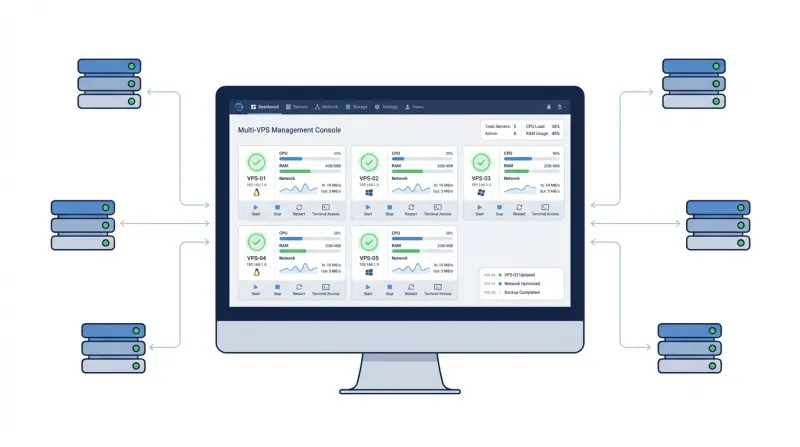
 Running several VPS servers means managing software updates, application deployments, performance issues, and security settings across multiple machines. You also need to keep server configurations consistent and maintain reliable backups across your infrastructure.
Performing these tasks manually on each VPS can take considerable time and increase the risk of configuration errors. This becomes even more challenging when your servers are hosted across different providers or environments.
Fortunately, several free, open-source tools can help simplify these responsibilities. In this article, we'll explore the best open-source tools for managing multiple VPS servers, covering their key features, advantages, and limitations.
What Does Managing Multiple VPS Servers Involve?
Managing multiple VPS servers involves more than remote access. Depending on your infrastructure and the applications you host, you may need to handle several responsibilities:
-
Server provisioning
Create, configure, and deploy new VPS instances.
-
Configuration management
Maintain consistent software installations, updates, and system settings.
-
Hosting administration
Manage websites, databases, email accounts, and DNS services. -
Performance monitoring
Track CPU, memory, disk, and network usage across servers. -
Secure networking
Create encrypted connections between servers and control remote access. -
Backup and recovery
Protect important data and restore files after failures.
You can use different open-source tools to handle these tasks across multiple VPS servers. Some provide centralized server management, while others focus on specific functions such as provisioning, automation, monitoring, security, or backups.
Let's explore six of the best open-source tools for managing multiple VPS servers, along with their key features, pros, and cons.
-
OpenTofu
OpenTofu is a free, open-source Infrastructure as Code (IaC) tool maintained by the community under the Linux Foundation's stewardship. It is a drop-in replacement for Terraform and supports existing Terraform configurations and workflows.
OpenTofu lets you define, provision, and manage cloud and on-premises infrastructure using human-readable configuration files. It supports resources ranging from compute, storage, and networking to DNS records and SaaS services. With an ecosystem of over 3,900 providers and 23,600 modules, OpenTofu can manage infrastructure across multiple platforms through their APIs.
For managing multiple VPS servers, OpenTofu automates server provisioning, standardizes configurations, and manages infrastructure changes across environments.
Key Features
-
Automated VPS provisioning: OpenTofu can create, update, and remove multiple VPS instances based on your configuration files. Before making changes, it generates an execution plan showing which servers and resources it will create, modify, or delete, so you can review the changes before applying them.
-
Multi-provider support: OpenTofu supports thousands of providers, so you can manage VPS infrastructure across different cloud platforms from the same tool, as long as they have compatible APIs.
-
Provider iteration: OpenTofu's for_each feature automatically generates provider configurations for multiple cloud regions, accounts, and environments (development, staging, and production). This eliminates repetitive code when managing VPS infrastructure across different platforms. It also simplifies credential rotation and supports gradual infrastructure rollouts.
-
Selective resource management: With OpenTofu's -exclude flag, you can exclude specific VPS instances or other resources from infrastructure operations. This gives you more control during testing and deployments, since you can update selected infrastructure resources without affecting excluded servers.
-
State encryption: OpenTofu supports built-in encryption for infrastructure state files, which may contain sensitive server configuration details. It supports multiple key providers, including PBKDF2, AWS KMS, GCP KMS, and OpenBao, to encrypt state files before storing them locally or remotely.
-
Early variable and local evaluation: OpenTofu supports variables and local values in module source and version fields. You can centrally manage module versions across multiple VPS configurations and update them by changing a single variable. This helps keep module versions consistent across your infrastructure and reduces the risk of missed updates.
Pros
-
Supports a wide range of cloud providers and infrastructure resources.
-
Provides execution plans and state encryption for safer infrastructure changes.
-
Supports reusable configurations and existing Terraform workflows.
Cons
-
Does not provide built-in configuration management for software updates or server administration.
-
Lacks built-in orchestration and centralized self-service management capabilities for multiple VPS servers.
2. Ansible
Ansible is a free, open-source configuration management and automation tool for managing multiple servers from a central control node. You can use it to execute commands on remote servers, manage server configurations, and automate repetitive tasks such as software updates, application deployments, and system maintenance.
For managing multiple VPS servers, Ansible provides a central way to maintain consistent server configurations and execute tasks across multiple machines. It uses human-readable YAML files called playbooks to define automation tasks.
Key Features
-
Centralized server management: Ansible uses an inventory to organize your VPS servers into groups. You can run commands or apply configurations to individual servers or entire groups from a control node.
-
Automated configuration management: Ansible playbooks describe how your servers should be configured. You can use them to install packages, manage users, configure services, and maintain consistent settings across multiple VPS instances.
-
Application deployment: Ansible automates software deployment across multiple servers. It also supports rolling updates, updating applications gradually without service downtime when properly configured.
-
Agentless architecture: Ansible connects to remote Linux VPS servers through SSH using existing credentials. You do not need to install or maintain separate agents on each server.
-
Idempotent automation: When you run an Ansible playbook, Ansible checks whether each server already has the required configuration. If a server is already configured correctly, Ansible skips unnecessary changes. This prevents repeated playbook runs from modifying settings that are already correct.
Pros
-
Easy to learn, with readable YAML playbooks and clear documentation.
-
Agentless architecture reduces maintenance overhead on managed VPS servers.
-
Ansible Galaxy provides reusable roles and collections for common server administration tasks.
Cons
-
Ansible Core lacks a built-in graphical management interface.
-
Does not continuously monitor or enforce server configurations without scheduled automation.
-
Managing complex playbooks and large server inventories can become difficult as infrastructure grows.
A tutorial on how to install Ansible on Ubuntu 26 is available on the Bacloud blog.
3. ISPConfig
ISPConfig is a free, open-source web hosting control panel that lets you manage multiple Linux servers through a web browser. It is distributed under the BSD license and has recorded more than 40,000 downloads per month.
For managing multiple VPS servers, ISPConfig provides a centralized control panel to administer websites, email accounts, databases, DNS, and other hosting services. It supports Debian, Ubuntu, AlmaLinux, Rocky Linux, and CentOS.
Key Features
-
Multi-server management: ISPConfig supports single-server installations, multi-server setups, and mirrored clusters. You can manage all connected servers from one control panel.
-
Web server management: ISPConfig supports Apache2 and nginx for hosting websites across multiple VPS servers.
-
Mail and DNS server management: ISPConfig supports Postfix and Dovecot for managing email services, including virtual mail users. It also supports BIND and PowerDNS for DNS management.
-
Virtualization and clustering: ISPConfig supports OpenVZ virtualization and configuration mirroring across server clusters.
-
User access management: ISPConfig provides administrator, reseller, client, and email login levels to manage access to hosting services.
Pros
-
Free and open-source, with centralized management for multiple Linux VPS servers.
-
Supports web, email, DNS, and database management from one control panel.
Cons
-
Does not support Windows servers.
-
Initial installation and multi-server configuration can be challenging for beginners.
-
Does not include a built-in file manager, requiring FTP or SSH for file operations.
-
The comprehensive ISPConfig manual costs approximately $6, although free installation guides and tutorials are available.
4. Prometheus + Grafana
Prometheus is a free, open-source monitoring system that collects, stores, and analyzes performance metrics from servers and applications. It is licensed under Apache 2.0 and is a graduated CNCF project.
For multiple VPS servers, Prometheus can monitor CPU, memory, disk usage, and network activity using exporters. Grafana complements Prometheus by displaying these metrics through interactive dashboards by making it easier to compare server performance and identify problems. Both tools are free and open-source, with Grafana OSS licensed under AGPLv3.
Key Features
Prometheus
-
Dimensional data model: Prometheus organizes time-series metrics using names and labels, so you can distinguish performance data by individual VPS servers, services, or environments.
-
Powerful queries: PromQL queries, correlates, and analyzes metrics collected from multiple VPS servers. Compare resource usage across servers, identify performance bottlenecks, and investigate unusual activity.
-
Precise alerting: Configure PromQL-based alerting rules to detect high CPU usage, low disk space, or other performance issues across your VPS servers. Alertmanager handles notifications and alert silencing.
-
Independent operation: Prometheus servers operate independently using local storage. You can deploy separate monitoring instances for different VPS environments without relying on a centralized storage service.
-
Extensive integrations: Prometheus supports hundreds of exporters and integrations, including Node Exporter, which collects CPU, memory, disk, and network metrics from Linux VPS servers.
Grafana
-
Unified dashboards: Combines Prometheus metrics and other data sources using 150+ plugins.
-
Advanced visualizations: Displays performance data through time-series graphs, heatmaps, and other interactive charts.
-
Monitoring as code: Supports deploying dashboards and alerts through software delivery pipelines.
-
Dashboard templates: Grafana provides ready-made dashboard templates for monitoring VPS performance, so you can quickly set up dashboards without creating every chart from scratch.
Pros and Cons
Prometheus
Pros
-
Supports real-time monitoring and automated alerts across multiple VPS servers.
-
Integrates easily with Grafana, Slack, and various monitoring exporters.
Cons
-
PromQL has a steep learning curve, especially for beginners.
-
Built-in visualization capabilities are limited.
Grafana
Pros
-
Provides customizable dashboards for monitoring multiple VPS servers.
-
Supports real-time visualizations to identify performance issues across servers.
Cons
-
Initial setup and data source configuration can be challenging for beginners.
-
Advanced dashboards and queries require additional technical knowledge.
5. WireGuard
WireGuard is a free, open-source VPN protocol that creates secure, encrypted connections between servers.
WireGuard creates a secure, private network for managing multiple VPS servers, even when they are hosted by different providers. Administrators can use this network to access their VPS servers remotely and securely transfer data between them without exposing internal services to the public internet.
Key Features
-
Encrypted communication: Protects traffic between VPS servers using modern cryptography, including ChaCha20 and Curve25519.
-
Simple configuration: Uses public and private keys to create secure connections between VPS servers.
-
Cryptokey routing: Associates public keys with permitted IP addresses to control traffic between connected servers.
-
High performance: Uses efficient cryptography and Linux kernel integration for fast communication.
-
Cross-platform support: Connects VPS servers running Linux, Windows, and BSD.
Pros
-
Lightweight and fast.
-
Secure private networking across VPS servers.
Cons
-
Requires manual peer and key management.
-
Does not provide server monitoring or configuration management.
A tutorial on how to install WireGuard on an Ubuntu VPS is available on the Baclouds Knowledge Base.
6. Restic
Restic is a free, open-source backup tool licensed under the BSD 2-Clause License. It supports Linux, Windows, macOS, and BSD.
Restic helps you back up important files, application data, and configurations across multiple VPS servers. You can store these backups locally, on self-hosted storage, or in the cloud. If a VPS server fails or you accidentally delete data, you can restore the affected files from an existing backup.
Key Features
-
Incremental backups: Transfers only changed data instead of copying entire files during every backup.
-
Encrypted backups: Encrypts backup data to protect sensitive information stored outside your VPS servers.
-
Backup compatibility: Restic follows semantic versioning to maintain compatibility with existing backup repositories, so you can restore backups created with earlier compatible versions of the tool.
-
Backup verification: Checks backup integrity to help detect corrupted or missing data before restoration.
-
Simple deployment: Restic runs as a single executable without requiring a dedicated backup server or complex setup. You can install it on individual VPS servers and manage backups directly from the command line.
Pros
-
Active development, regular releases, and strong community support.
-
Low vendor lock-in, with options to restore, export, or mount backed-up data.
Cons
-
No built-in centralized management dashboard for monitoring backups across multiple VPS servers. You need to configure and manage backups on each server individually or use external automation tools to coordinate them.
-
No native database backup agents or VM-level backup integration.
Get Your VPS Servers from Bacloud
With nearly 20 years of hosting experience, Bacloud offers Linux and Windows VPS hosting for websites, applications, databases, and other workloads.
Its Linux VPS plans feature NVMe storage, dedicated server resources, and a choice of Linux distributions with instant delivery. Windows VPS plans support Microsoft applications, MS SQL, and remote desktop access.
Bacloud also offers dedicated servers and custom infrastructure solutions. Its servers use AMD EPYC or Intel Xeon processors and offer 99.97% server uptime.
Bacloud has data centers in Šiauliai (Lithuania), Dronten (Netherlands), Chicago (USA), and Coventry (UK). Professional technical support and 24/7 system monitoring back its hosting services.
Ready to expand your VPS infrastructure? Sign up with Bacloud and choose your VPS servers today.