

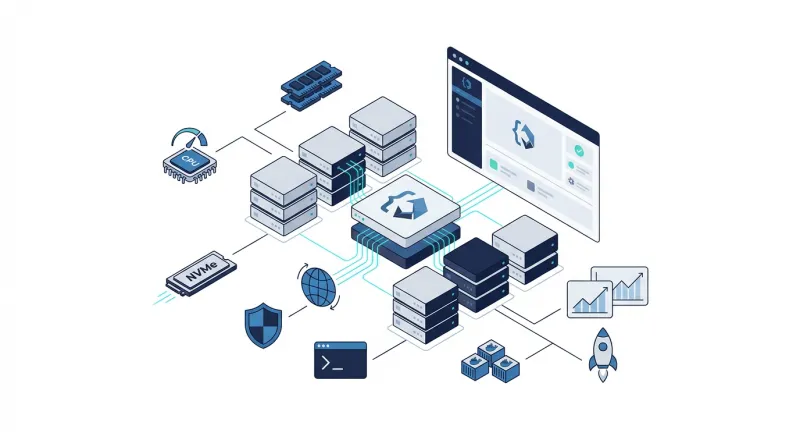
 OpenClaw can manage messages, files, browser tasks, APIs, and scheduled workflows from one AI agent. Running it on a personal computer may work for testing, but sleep mode, limited resources, network interruptions, and local security gaps make continuous operation difficult. A VPS gives OpenClaw a separate server that can run around the clock, with defined CPU, memory, storage, and network controls. This article explains the benefits of OpenClaw VPS hosting, the resources OpenClaw needs, and the practices that help you deploy it safely.
What is OpenClaw?
OpenClaw is a free, open-source AI agent that runs on your computer or server. You can use it through WhatsApp, Telegram, Discord, Slack, Signal, iMessage, and other supported channels instead of opening a separate chatbot window.
OpenClaw can organize email, manage calendars, browse websites, read and write files, run shell commands, and call external APIs. It can also use models from providers such as OpenAI and Anthropic, while keeping its sessions and memory in the environment where it runs.
The platform supports macOS, Linux, and Windows. Its ecosystem includes 29 chat channels, 64 model and media providers, and 142 official plugins. OpenClaw can connect to different models and media providers, chat channels, use browser automation, manage notes, and work with different AI models. It also supports built-in tools and automation, Gateway hosts and companion nodes, and community skills and plugins.
What is OpenClaw VPS hosting?
OpenClaw VPS hosting means running the OpenClaw agent on a virtual private server managed by a hosting provider. Instead of keeping OpenClaw on a personal laptop or desktop, you install it on a remote server, usually running Linux, in a data center that operates continuously.
The VPS provides a separate environment for OpenClaw’s gateway, memory, skills, integrations, and scheduled tasks. You manage the server through SSH or a private VPN, while approved chat channels provide a way to send instructions to OpenClaw without opening a terminal. The server handles the background workload even when your personal computer is offline.
This suits OpenClaw because the agent can operate continuously without depending on your computer being switched on. It also gives you a dedicated place to configure firewall rules, storage, backups, user permissions, and monitoring before connecting sensitive services.
In practice, OpenClaw VPS hosting provides:
-
An always-available server for background tasks and scheduled automations
-
A separate environment for OpenClaw and its connected services
-
Remote access through SSH, a private VPN, or approved chat applications
-
Server-level control over storage, networking, permissions, backups, and monitoring
Why is self-hosting OpenClaw difficult?
Running OpenClaw on a personal laptop or workstation may work for testing, but it becomes harder to manage when the agent handles messages, scheduled jobs, files, and external services. The following issues make a local setup unsuitable for many workloads.
Security becomes your responsibility
With a self-hosted installation, you must secure the operating system, OpenClaw Gateway, SSH access, chat integrations, API keys, plugins, and storage. A missed firewall rule or exposed port can give attackers access to an agent that can read files and run commands. You also need to review skills, apply patches, restrict permissions, and investigate suspicious activity yourself.
A personal computer is a poor production host
Laptops and office workstations are built for interactive use, not continuous server operation. Sleep mode, system updates, reboots, full disks, changing network addresses, and local software conflicts can interrupt OpenClaw. A home network may also lack the stable routing and inbound access needed for webhooks and messaging integrations.
Hardware resources can become a constraint
OpenClaw’s requirements grow with the number of conversations, skills, browser sessions, stored memories, and scheduled workflows it handles. A computer with limited RAM may start swapping or terminate processes when several tasks run together. Storage can also fill with container images, logs, session data, and backups, creating failures that are difficult to diagnose.
Availability depends on your daily routine
An agent installed on your computer cannot process messages or run scheduled jobs while the machine is powered off, disconnected, or being used elsewhere. Power cuts and internet outages can interrupt Telegram, WhatsApp, Slack, and webhook-based workflows. If you need OpenClaw to respond at any time, your own workstation has too many points of failure.
What are the benefits of OpenClaw VPS hosting?
A VPS gives OpenClaw a separate server environment with allocated computing resources and data-center connectivity. The main benefits come from moving the agent away from a personal device and giving its workloads a stable operating base.
Keep OpenClaw separate from your personal devices
A VPS gives OpenClaw its own operating system, storage, user accounts, and network rules. You can create a dedicated non-root account, run the agent inside Docker, restrict its filesystem access, and keep personal documents and browser sessions outside its reach. This makes the security boundary easier to manage than a workstation used for many unrelated tasks.
Run automations without keeping your computer on
A VPS operates continuously in a data center, so OpenClaw can process messages, run scheduled jobs, and respond to integrations while your laptop is turned off. This suits morning briefings, inbox processing, website checks, reminders, and other workflows that must run at a fixed time.
Get predictable resources for background workloads
VPS plans provide a defined amount of CPU, RAM, and storage. That makes it easier to choose a size for your workload and know when you need an upgrade. A small setup may handle one agent and light automations, while browser use, several integrations, and concurrent workflows call for more memory and CPU.
Manage networking, backups, and recovery from one server
A VPS gives you one place to configure SSH, firewall rules, Gateway authentication, storage, logs, and backups. You can bind OpenClaw to localhost, access it through SSH forwarding or a private VPN, and restrict outbound traffic to approved services. Snapshot and backup options also provide a recovery route after a failed update, damaged configuration, or compromised deployment.
Scale the deployment as usage grows
As OpenClaw handles more conversations, skills, browser sessions, or stored data, you can increase CPU, RAM, and disk capacity without moving the agent to a different personal computer. Monitor resource use before scaling so you can address the actual constraint instead of paying for unused capacity.
Manage the server environment yourself
With an unmanaged VPS, you get administrative access to install Docker, configure system packages, apply OpenClaw updates, and add approved plugins or MCP connectors. Use a separate administrator account for these tasks, but run the OpenClaw process under a non-root user. A managed VPS may handle some server maintenance for you, but you still need to secure OpenClaw’s Gateway, integrations, skills, and credentials.
Keep local OpenClaw data in one controlled environment
Session files, logs, configuration, memory, and other data can reside on the VPS instead of being scattered across a personal computer or shared hosting account. You can then protect them with filesystem permissions, encrypted backups, and a defined retention policy. This does not change how external AI providers handle data sent through their APIs, so provider policies still need review.
What are the OpenClaw VPS hosting requirements?
OpenClaw’s requirements depend on how many channels, skills, browser sessions, and automated tasks you plan to run. A small personal gateway needs far fewer resources than a VPS handling several active conversations and sandboxed tools.
VPS size by workload
-
Basic testing: 1 vCPU, 512 MB-1 GB RAM, and at least 1-5 GB of free storage can support installation, a few skills, and light testing.
-
Typical production use: Choose at least 2-4 vCPUs and 4-8 GB RAM for a personal assistant with several integrations, scheduled tasks, and moderate activity.
-
Browser automation or multiple workflows: Go with 4 vCPUs and 8 GB RAM. Chromium sessions, Docker containers, concurrent conversations, and large logs consume additional memory.
-
Heavy workloads: Multi-agent setups, media processing, and many simultaneous users may require 4+ vCPUs, 8-16+ GB RAM, and additional storage with around 50GB-100GB+ SSD.
OpenClaw itself may use around 200 - 400 MB of RAM when idle, but active conversations, skills, Node.js processes, browser sessions, and containers increase usage. As a recommended starting point for moderate use, it requires 4 GB of RAM and 2+ CPU cores, with 5 GB of free disk space.
Operating system and runtime
For a VPS, use a supported Linux distribution such as Ubuntu 22.04 or 24.04 LTS, Debian 12, Fedora 39+, or Amazon Linux 2023. OpenClaw requires Node.js 22 or later, while Node.js 24 is the recommended version on the referenced requirements page. npm 10 or later is also required.
Storage for application data
Reserve space for OpenClaw, Node.js dependencies, skill packages, SQLite conversation history, logs, Docker images, and backups. Five gigabytes is enough for a basic installation, but 40-60 GB of SSD or NVMe storage gives a production VPS room to grow without constant cleanup.
Network access and webhooks
OpenClaw needs outbound HTTPS on port 443 to contact model providers and download skills. Messaging integrations that use webhooks may also need inbound access through a reverse proxy, domain name, and TLS certificate. Keep the Gateway private where possible, and expose only the specific webhook endpoint a channel requires.
Optional Docker and GPU requirements
Docker is not required for the core installation, but it is useful for sandboxed skills and containerized deployment. A GPU is unnecessary when OpenClaw connects to external AI providers through APIs. You need GPU resources only if you plan to run AI models on the VPS itself, such as a local text-generation model, an image or video analysis model, or a speech transcription and text-to-speech model.
OpenClaw VPS requirements at a glance
|
Category |
Minimum requirement |
Recommended requirement |
Notes for VPS hosting |
|
Operating system |
Linux with kernel 5.4+, macOS 13+, or Windows 10+ with WSL 2 |
Ubuntu 22.04 LTS or macOS 14+ |
For VPS hosting, Ubuntu 22.04/24.04 LTS, Debian 12, Fedora 39+, and Amazon Linux 2023 are supported. Other Linux distributions need glibc 2.31+ and a supported Node.js version. |
|
CPU |
1 core |
2 or more cores |
Use more CPU cores when running many skills, browser sessions, or concurrent workflows. |
|
RAM |
2 GB |
4 GB or more |
Development and testing can use 2 GB. Moderate production workloads need about 4 GB, while high-traffic setups with many active skills may need 8 GB or more. OpenClaw uses about 200–400 MB at idle. |
|
Disk space |
1 GB free |
5 GB free |
A fresh installation uses about 500 MB. Additional storage is needed for skills, logs, SQLite conversation history, Docker images, and backups. |
|
Node.js |
Version 22.16.0 or later |
Node.js 24 |
Versions below Node.js 22 are unsupported. Use node --version to check the installed version. |
|
npm |
Version 10.0.0 or later |
npm 10+ |
npm ships with Node.js 22 and later. Check it with npm --version. |
|
Docker |
Not required |
Docker 24 or later |
Docker is useful for sandboxed skills that execute code and for Docker Compose or Kubernetes deployments. |
|
GPU |
Not required |
Not required for API-based models |
A GPU is needed only when running AI models directly on the VPS, such as text-generation, image or video analysis, speech transcription, or text-to-speech models. |
|
Outbound network |
HTTPS traffic over port 443 |
HTTPS access to required providers and registries |
OpenClaw uses outbound port 443 for LLM provider APIs and skill downloads. |
|
Web UI and REST API |
Inbound port 3000 by default |
Bind privately or protect with authentication |
Port 3000 serves the web UI and REST API. Do not expose it publicly without proper access controls. |
|
Channel webhooks |
An inbound channel-specific port |
Static IP or protected reverse proxy |
Slack, Telegram, and Discord may require inbound webhook access. |
|
Reverse proxy |
Not required for local use |
Nginx or Caddy with TLS |
A reverse proxy can handle HTTPS and route webhook traffic to OpenClaw. |
|
Tunnel access |
Not required |
ngrok or Cloudflare Tunnel for development |
Tunnels can provide temporary webhook access during development. |
|
Git |
Required for manual installation |
Current supported version |
Verify it with git --version. |
|
Windows setup |
Windows 10+ with PowerShell or WSL 2 |
WSL 2 with Ubuntu |
Run the remaining OpenClaw installation steps inside the WSL terminal. |
What are the best practices for OpenClaw VPS hosting?
Hosting OpenClaw on a VPS gives you a dedicated server, but the hosting environment still needs careful configuration. Choose resources that match the agent’s workload, protect the server’s network and user accounts, and maintain the software so OpenClaw can run continuously without exposing connected data or services.
-
Size the VPS for the workload: Go with 2 vCPUs and 4 GB RAM for one everyday agent. Choose 8 GB or more for browser automation, several channels, or concurrent workflows.
-
Use SSD or NVMe storage: OpenClaw writes logs, memory files, session history, and skill data. Faster storage reduces disk-related delays and gives the deployment room to grow.
-
Keep the Gateway private: Bind it to 127.0.0.1 and use SSH forwarding or Tailscale for administration. If webhooks need inbound access, route only the required endpoint through a reverse proxy with TLS.
-
Run OpenClaw under a dedicated user: Do not run OpenClaw as root. Use a non-root account or hardened container with access limited to its workspace.
-
Protect VPS credentials: Store API keys and channel tokens in a restricted secrets file or secret manager. Set sensitive files to mode 600, keep them out of chat history and repositories, and rotate them after exposure.
-
Maintain the server: Apply operating-system, Node.js, OpenClaw, and plugin updates, then review logs for unusual resource use, commands, and network activity.
Why choose BaCloud for OpenClaw VPS hosting?
BaCloud offers several VPS options, including Windows KVM, Windows VDS, Linux KVM, Linux VDS, and Linux OpenVZ. For most OpenClaw deployments, a Linux-based VPS is the better choice because it supports the required server tools and works well with Docker, SSH, firewalls, and automation.
One suitable option is Linux KVM VPS hosting. These servers use NVMe SSD storage, KVM virtualization, dedicated IPv4 and IPv6 addresses, and server locations in Lithuania, the United States, the Netherlands, and the United Kingdom. You can choose from Ubuntu, Debian, AlmaLinux, and CentOS images when choosing the server.
Choose a BaCloud VPS and sign up to build an always-available OpenClaw environment with the resources and control your workflows require.