

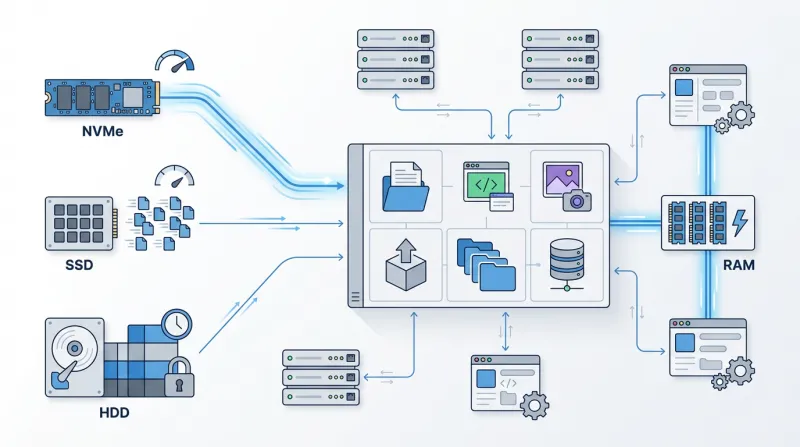
Modern applications generate and process enormous amounts of data, but not every workload needs the same type of storage. Some applications require extremely fast block-level access, while others are designed around object storage and APIs. Many workloads, however, still rely on something much more familiar: files and folders.
This is where file storage comes in.
File storage organizes data in a hierarchical structure made up of files, directories, and subdirectories. It is one of the oldest storage models, yet it remains widely used in modern IT environments because it is simple, familiar, and compatible with a huge range of applications.
In this guide, we explain what file storage is, how it works, how it compares with block and object storage, and when it makes the most sense to use it.
What Is File Storage?
File storage stores and organizes data as individual files inside folders and directories.
File storage works much like the folders and files on your computer. Each file has its own location, or path, which tells the system where the file is stored.
For example:
/home/project/images/logo.png
On a Windows network, the path could look like this:
\\fileserver\marketing\campaign.xlsx
Each file has a name, location, size, permissions, timestamps, and other metadata. The filesystem tracks this information and lets users or applications create, read, modify, move, and delete files.
In a network, file storage is usually accessed through protocols such as:
- NFS (Network File System) – commonly used with Linux and Unix systems
- SMB (Server Message Block) – mainly used in Windows environments
These protocols allow servers and applications to access shared files over the network. Because the storage still works with normal files and folders, it is easy to use with software that expects a traditional filesystem.
How Does File Storage Work?
File storage organizes data in a simple folder structure, similar to a computer.
Files are stored inside folders and subfolders, and each file has its own path. For example:
/var/www/uploads/customer-image.jpg
When an application needs this file, the filesystem uses the path to find it and checks whether the application has permission to access it.
With network file storage, the data doesn't need to be stored on the same server that runs the application. Several servers, virtual machines, or containers can connect to the same shared storage over the network.
This is useful when multiple systems need to work with the same files.
Need a storage server for backups, shared files, databases, or other workloads? Contact our sales team and we’ll help you choose the right HDD, SSD, or NVMe configuration based on your storage capacity and performance needs.
Network-Attached Storage and File Servers
One of the most common ways to provide file storage is through Network-Attached Storage, or NAS.
A NAS system is connected to a network and provides shared file access to multiple clients. Instead of storing the same files separately on several servers, applications can use one centralized storage location.
For example, a company may use a NAS system to store:
- employee documents
- website content
- media files
- application data
- shared development files
- backup files
NAS systems typically use NFS or SMB to provide access to the stored files.
Traditional file servers work similarly. A dedicated server can expose directories over the network and allow other systems to mount them as shared storage.
What Is Cloud File Storage?
Cloud file storage takes the same basic filesystem model and delivers it as a managed service.
Instead of deploying and maintaining your own file server or NAS infrastructure, a cloud provider manages the storage platform while applications connect to it using standard file protocols.
From the application's point of view, the storage can still appear as an ordinary mounted filesystem.
Cloud file storage can be particularly useful for environments where multiple servers need shared access to the same files.
Common examples include:
- web server clusters
- containerized applications
- content management systems
- development environments
- shared application data
- media-processing workloads
The main advantage is that you can manage the underlying storage infrastructure separately from the compute servers.
File Storage vs. Block Storage vs. Object Storage
File storage is one of three major storage models commonly used in hosting and cloud infrastructure.
The others are block storage and object storage.
Understanding the differences helps you choose the storage type that best fits a particular workload.
| Data organization | Files and folders | Blocks | Objects |
| Typical access | NFS, SMB | Attached storage volume | API / HTTP |
| Structure | Hierarchical | Raw storage blocks | Flat object namespace |
| Shared access | Common | Depends on implementation | Designed for distributed access |
| Best for | Shared files and applications | Databases, VMs, operating systems | Backups, archives, media, large datasets |
File Storage
File storage provides a traditional filesystem structure.
Applications access files using paths and directories, making it ideal for software that expects normal filesystem behavior.
Block Storage
Block storage divides data into fixed-size blocks and presents the storage device directly to a server or operating system.
The operating system can then create its own filesystem on top of the storage volume.
Block storage is commonly used for:
- virtual machine disks
- databases
- operating system volumes
- applications requiring low-latency storage
Object Storage
Object storage stores data as individual objects rather than files inside a traditional directory hierarchy.
Each object includes the data, metadata, and a unique identifier.
Applications typically access object storage through an API.
Object storage is commonly used for:
- backups
- archives
- large media libraries
- logs
- software distribution
- data lakes
- large amounts of unstructured data
Advantages of File Storage
File storage remains popular because it combines simplicity with broad application compatibility.
Familiar File and Folder Structure
The hierarchical structure is easy to understand and widely supported.
Most operating systems and applications already know how to work with files and directories, which can make file storage easier to deploy than storage systems requiring application-level API integration.
Shared Access
Multiple servers can access the same filesystem, which is usually hosted on a dedicated storage server or file server.
This is useful when several application servers need access to the same content, configuration files, uploads, or datasets without keeping separate copies on each server.
Application Compatibility
Many existing applications are designed around traditional filesystem operations.
Migrating these applications to file storage often requires fewer changes than migrating them to an object-storage architecture.
Centralized Data
Instead of keeping separate copies of the same files on different servers, shared file storage keeps the data in one place.
This makes it easier to manage access, permissions, backups, and applications that need to use the same files.
Limitations of File Storage
File storage is not automatically the best choice for every workload.
The hierarchical filesystem adds additional operations such as directory lookups, metadata handling, permissions, and file locking.
Because network file storage also communicates over a network, performance may depend heavily on:
- network latency
- available bandwidth
- number of simultaneous clients
- number of files
- file sizes
- metadata operations
- storage performance
A workload with a small number of very large files can behave very differently from a workload that constantly creates and modifies millions of small files.
For extremely large-scale unstructured datasets, object storage may provide a more practical architecture.
For high-performance database or virtual machine workloads, block storage may often be a better choice.
Common File Storage Use Cases
File storage can be used across many hosting and infrastructure environments.
Web Applications
Web applications often need to store uploaded images, documents, generated files, plugins, themes, or other persistent content.
When multiple web servers serve the same application, shared file storage lets every server access the same data.
This can help avoid storing separate copies of files on each machine.
Content Management Systems
Applications such as WordPress and other content management systems store large numbers of files, including:
- themes
- plugins
- uploaded images
- documents
- cached content
In multi-server environments, shared file storage can provide a common location for this data.
Shared Business Files
Businesses frequently use file storage for shared directories containing:
- documents
- spreadsheets
- project files
- design assets
- reports
- internal resources
You can configure permissions so different users or teams have access only to the folders they need.
Containers and Kubernetes
Containerized applications may run across multiple nodes.
If several containers require access to the same persistent files, network file storage can provide a shared filesystem independent of the individual compute node.
This is especially useful for workloads that require multi-node read and write access.
Development and CI/CD
Development teams often need shared access to:
- source files
- build artifacts
- libraries
- deployment files
- testing data
Centralized file storage can simplify access across different build servers and development environments.
Media Processing
Video, audio, graphics, and rendering workloads often involve large shared datasets.
Multiple processing servers can access the same source files without maintaining separate local copies.
Application Migration
Many older applications were built around local or network filesystems.
When moving these applications to new servers or cloud environments, keeping the same file-based access model can make migration significantly easier.
Instead of redesigning the application around an object-storage API, it can keep accessing files through familiar paths.
NFS vs. SMB
NFS and SMB are the two most common protocols used for network file storage.
NFS
NFS, or Network File System, is widely used in Linux and Unix environments.
It lets you mount a remote directory so applications can interact with it like a local filesystem.
NFS is commonly used with:
- Linux servers
- hosting platforms
- web applications
- development environments
- containers
- high-performance computing environments
SMB
SMB, or Server Message Block, is commonly associated with Windows file sharing.
It is widely used in corporate networks and environments where Windows systems need shared file access.
SMB is commonly used for:
- Windows file servers
- shared office folders
- enterprise environments
- user directories
- hybrid Windows infrastructure
The best choice depends on the operating system, application requirements, authentication model, and infrastructure design.
File Storage Performance
Capacity alone does not determine file storage performance.
Consider several characteristics when planning a deployment.
Latency
Low latency is important for applications that frequently open, modify, or access many files.
Because network file storage is accessed remotely, network latency can directly affect application performance.
Throughput
Applications processing large files may require high read and write throughput, but the right storage media depends on the actual performance requirements.
For workloads that mainly store or transfer large files, such as backups, archives, ISO images, or large media files, HDD-based storage is often sufficient and usually offers the best price per terabyte. These workloads are typically more sequential and do not always require very high IOPS.
If you must process, copy, index, or access the same large files much faster, SSD storage can provide significantly better throughput and lower latency.
For demanding workloads such as large databases, high-traffic applications, virtualization platforms, analytics systems, or environments where consistently low latency and very high IOPS are critical, NVMe storage is generally the preferred option. NVMe drives can handle far more parallel operations than traditional SATA SSDs or HDDs, making them much better suited to performance-sensitive workloads.
IOPS
The number and size of files can significantly affect storage performance. A system working with millions of small files usually performs many more read, write, and metadata operations than one storing a smaller number of large files.
The drive type should match the workload. HDD storage is often the most cost-effective choice for large or medium-sized files such as backups, archives, and media files, where high IOPS are usually not required.
For workloads with many small files or frequent read and write operations, SSD storage is usually a better choice. NVMe is more suitable when higher IOPS, lower latency, and faster access are important, for example, with busy websites, large CMS platforms, development systems, or other applications that constantly work with many small files.
Number of Clients
A storage system accessed by two servers has different requirements from one accessed simultaneously by hundreds of servers.
Consider concurrency when planning file storage.
File Storage Security
File storage often contains application data or business-critical information, making security an important part of the architecture.
Restrict access using appropriate user, group, or system permissions.
Important security considerations include:
- filesystem permissions
- user and group access controls
- network isolation
- firewall rules
- encryption
- secure authentication
- access logging
- monitoring
File shares should generally only be accessible from systems that actually require them.
Avoid exposing network file protocols directly to the public internet without appropriate security controls.
File Storage Backups and Disaster Recovery
Don't treat shared storage as a replacement for backups.
Even highly available storage systems can still be affected by:
- accidental file deletion
- ransomware
- application errors
- corrupted data
- configuration mistakes
- compromised accounts
A backup strategy should therefore exist independently from the primary storage system.
Depending on the environment, this may include:
- snapshots
- scheduled backups
- off-site copies
- replication
- versioned backups
Organizations should also define their required Recovery Point Objective (RPO) and Recovery Time Objective (RTO).
These determine how much data loss is acceptable and how quickly you must restore data after an incident.
When Should You Use File Storage?
File storage is a strong choice when applications expect a traditional filesystem and several systems need access to the same data.
It is particularly suitable when:
- multiple servers need shared files
- applications use ordinary file paths
- existing applications cannot easily be redesigned
- users need shared network folders
- containers require shared persistent data
- application files must remain independent from individual compute servers
Block storage may be more appropriate when an application requires a dedicated high-performance storage volume.
Object storage may be better when storing very large amounts of unstructured data that will primarily be accessed through APIs.
In many modern infrastructures, organizations use all three storage types together.
For example, a web platform might use block storage for its database, file storage for shared application files, and object storage for backups or large media libraries.
Conclusion
File storage is still one of the most common ways to store and share data.
Its main advantage is simplicity. Applications can work with normal files, folders, permissions, and file paths, just like they would on a local computer or server.
Using protocols such as NFS or SMB, multiple servers can access the same storage simultaneously. This makes file storage useful for websites, CMS platforms, development environments, shared application data, containers, and media files.
However, file storage is not the best choice for every workload. Block storage may be a better option when you need very low latency and high performance. Object storage is often more suitable for very large amounts of data, backups, archives, and applications that access data through APIs.
Choosing the right storage type depends on how your applications use the data and the performance, scalability, and cost you need.