
Website speed is crucial for user experience, SEO, and conversions. WordPress sites generate pages dynamically (database queries, PHP execution) on each load, which can be slow. Good caching and optimization plugins store static pages and assets so the server doesn’t have to rebuild them every time. In fact, a quality cache plugin can “dramatically improve loading times, reduce server strain, improve Core Web Vitals, and create a smoother experience” for visitors. In practice, enabling proper caching alone can cut page load times by several seconds. (Of course, other optimizations like image compression, minification and a CDN should also be used for the fastest results.)
WP Rocket (Premium)
WP Rocket is a premium one-click caching plugin known for its ease of use. It automatically enables key optimizations on activation (page caching, browser caching, file minification, lazy loading, etc.), and even monitors real-world Core Web Vitals. Because of its broad compatibility, it works on almost any host (including managed hosts like Kinsta or WP Engine). However, WP Rocket has no free version and lacks built-in image optimization (you must add a plugin like Imagify).
- Key features: Page caching, browser caching, cache preloading, HTML/CSS/JS minification, deferred JS, Critical CSS generation and lazy loading.
- Pros: Very user-friendly; most optimizations are enabled by default (80% of settings apply on activation); includes database cleanup and Cloudflare integration; a dedicated “RocketCDN” option is available. It is compatible with all major themes, plugins, and WooCommerce.
- Cons: No free plan (starts at $59/year for one site); no built-in image optimizer or CDN by default (requires separate add-ons); advanced features (e.g., link preloading, cache preload) can be resource-heavy on cheap hosts.
Bacloud offers fast and reliable shared hosting with LiteSpeed technology—perfect for WordPress websites. Enjoy fast loading speeds, security, and easy management. Get started today with Bacloud!
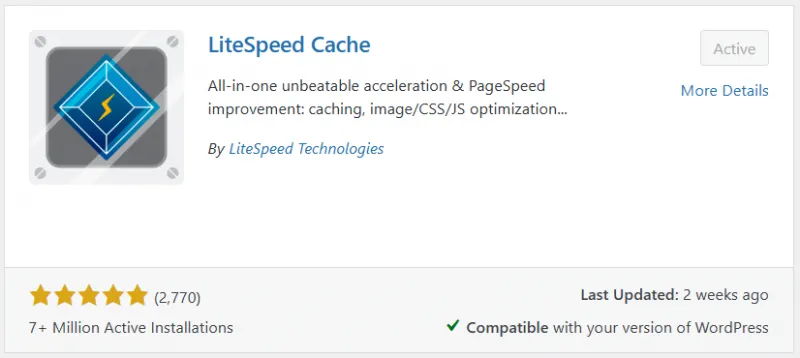
LiteSpeed Cache (Free)
LiteSpeed Cache is a free, all-in-one optimization plugin that provides server-level caching (when used on LiteSpeed Web Server). Unlike PHP-based caches, it operates at the server level for lightning-fast response times. LSCache includes page caching, browser caching, image optimization (WebP support via QUIC.cloud), CSS/JS minification, critical CSS generation, and full CDN integration with QUIC.cloud. It is completely free, making enterprise-grade features available at no cost.
- Key features: Server-level page caching (requires LiteSpeed server), image optimization with WebP, Critical CSS, database cleanup, object caching (Redis/Memcached), and built-in QUIC.cloud CDN support.
- Pros: Extremely fast server-level caching (much faster TTFB than PHP caches); all features free, including automatic image compression and CDN; well-integrated WordPress plugin with global and per-page cache controls.
- Cons: Full features require LiteSpeed hosting (many settings have no effect on Apache/Nginx); configuration can be complex for beginners.
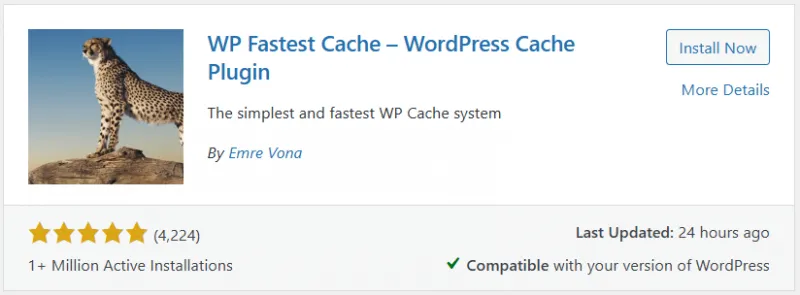
WP Fastest Cache (Free/Paid)
WP Fastest Cache is a popular caching plugin offering a free core and a one-time premium upgrade. It creates static HTML files and includes basic CSS/JS minification and combination. Its interface is very simple (checkboxes to enable features), making setup easy for beginners. The free version covers essential caching needs (page cache, browser cache, compress/minify) and is highly rated, but advanced features like image compression, lazy loading, and database cleanup require the paid version. The premium add-on costs a single payment (currently $49) instead of an annual subscription.
- Key features: Page caching, GZIP compression, CSS/JS minification and merging, browser cache, HTML minification, and optional database cleanup/image optimization (in premium).
- Pros: Free tier works out of the box for basic caching; simple setup with checkboxes (no coding needed); premium is a one-time fee (no recurring subscription); widely compatible with most themes/plugins.
- Cons: Free lacks built-in image optimization, lazy loading, or CDN support; hasn’t introduced many newer Core Web Vitals optimizations (e.g., no critical CSS, advanced preload options); premium supports only one site by default.
Perfmatters (Paid)
Perfmatters is a lightweight premium plugin focused on bloat removal and script management. Rather than doing caching itself, it complements caching plugins by giving fine-grained control over what loads on each page. Its Script Manager lets you disable specific scripts, styles, and plugins on a per-page basis, which no other plugin offers. It can defer JavaScript, disable emojis, remove query strings, and even host Google Analytics locally. Perfmatters helps strip unnecessary code, reducing page size without adding bulk of its own.
- Key features: Per-page script and style control, delayed JS execution, database optimization, local Google Fonts/Analytics hosting, lazy-load off-screen elements, DNS prefetch.
- Pros: Very lightweight (≈0.8 MB plugin size); Script Manager provides unique page-level control; pairs with any caching plugin (e.g., WP Rocket or LSCache); effectively reduces plugins’ overhead without replacing caching.
- Cons: No free version (starts at $24.95/year); only handles code bloat – it requires a separate caching plugin for full page caching.
Autoptimize (Free)
Autoptimize is a free frontend optimization plugin that minifies and aggregates your site’s HTML, CSS, and JavaScript. It can inline critical CSS, defer scripts, optimize Google Fonts, and remove emoji scripts. Importantly, Autoptimize does not do page caching itself – it is meant to be used alongside a cache plugin (like W3TC, WP Super Cache, or LSCache) to complement it. In short, Autoptimize cleans code to reduce file sizes and HTTP requests, resulting in faster loads.
- Key features: HTML/CSS/JS minification and concatenation, inline critical CSS, defer/async JS, Google Fonts optimization, remove emojis, DNS prefetch tags.
- Pros: Free and covers most file optimization needs out-of-the-box; works seamlessly with any caching plugin (adds no conflicts); developer-friendly with an extensive API for custom tweaks.
- Cons: Doesn't provide page caching or a CDN (requires a separate plugin); the Pro version (~$89/year) adds features like image optimization and a CDN (overkill if you already have all-in-one solutions).
WP-Optimize (Free/Paid)
WP-Optimize by TeamUpdraft is an all-in-one optimization plugin combining caching, database cleanup, and image compression. Its free plan includes page caching (with GZIP), database/table cleanup, and basic image compression (via the reSmush.it service). It even offers HTML/CSS/JS minification in the free plan. Advanced features (lazy loading, WebP conversion, unused image cleanup, and more) are available in the premium tier. This makes it a good single-plugin solution for smaller sites.
- Key features: Page caching, GZIP, database cleanup/defragmentation, image compression/WebP, lazy loading (premium), and Cloudflare integration.
- Pros: Combines caching, DB optimization, and image compression in one free plugin; can eliminate several plugins (cache + DB + image) from your site; premium adds seamless UpdraftPlus integration and advanced cleanup.
- Cons: Truly advanced optimization (like lazy-load, big-image cleanup) requires a paid plan ($49+/year); free image compression depends on a third-party service (and has limits).
W3 Total Cache (Free/Paid)
W3 Total Cache is one of the oldest and most powerful caching plugins. It offers multiple layers of caching – page, database, object, fragment, and browser caching – along with CDN integration and asset minification. It can even serve a full site via CDN (Static Site Generation). In the hands of an expert, W3TC can squeeze maximum performance out of almost any host.
- Key features: Page, object, database and fragment caching; browser caching; HTML/CSS/JS minification and concatenation; REST API caching; built-in CDN (Pro).
- Pros: Extremely comprehensive (the free version supports every major caching type); setup wizard for easier initial config; includes CDN support even in the free version (bring-your-own).
- Cons: Steep learning curve – dozens of settings can be confusing; Pro plan ($99/site) is quite pricey, and missing vendor CDNs means manual setup; heavy configuration required (and not all hosts allow all modes).
WP Super Cache (Free)
WP Super Cache (by Automattic) is a free plugin that generates static HTML files from your dynamic WordPress site. When enabled, it serves cached HTML files to visitors instead of running PHP, which is much faster. In fact, it can serve cached pages to roughly 99% of users (basically anyone who isn't logged in or hasn't commented). It offers multiple modes (mod_rewrite is fastest; PHP simple mode is safe/easy).
- Key features: Static HTML page caching via mod_rewrite or PHP; cache preload; CDN support; cache rebuild mode.
- Pros: Completely free and maintained by WordPress.com’s team; simple setup (simple mode works without .htaccess edits); effective static caching that dramatically reduces server load.
- Cons: Lacks advanced optimizations (no image/webp support, no CSS/JS optimization); interface is very basic; not updated for newer features such as critical CSS or comprehensive JS deferral.
NitroPack (Cloud)
NitroPack isn’t just a plugin but a full cloud-based optimization service with a WP plugin. It handles caching, CDN, image optimization, code minification, critical CSS and more, automatically offloading all processing to NitroPack’s servers. This means even sites on weak hosting can get enterprise-level speeds. NitroPack includes a built-in CDN and claims the highest Core Web Vitals pass rate in benchmarks. It has a free tier (up to 1,000 pageviews/month) and paid plans ($7+/mo).
- Key features: Advanced caching, lazy-loading, image compression, WebP/AVIF conversion, critical CSS, JS delaying, built-in CDN, font subsetting, etc.
- Pros: All-in-one solution replaces most other performance plugins; cloud architecture eliminates server load; very easy setup (plug-and-play); highest real-world Core Web Vitals scores among competitors.
- Cons: Requires a subscription for anything beyond small sites; the free plan adds NitroPack branding to your site; aggressive optimization may require exclusions to prevent layout issues.
*Tip: You should only run one caching plugin at a time – mixing multiple page-caching plugins can cause conflicts and broken sites. Pair your main cache plugin only with complementary tools (e.g. use Perfmatters or Autoptimize alongside your cache, but don’t install two cache plugins).