

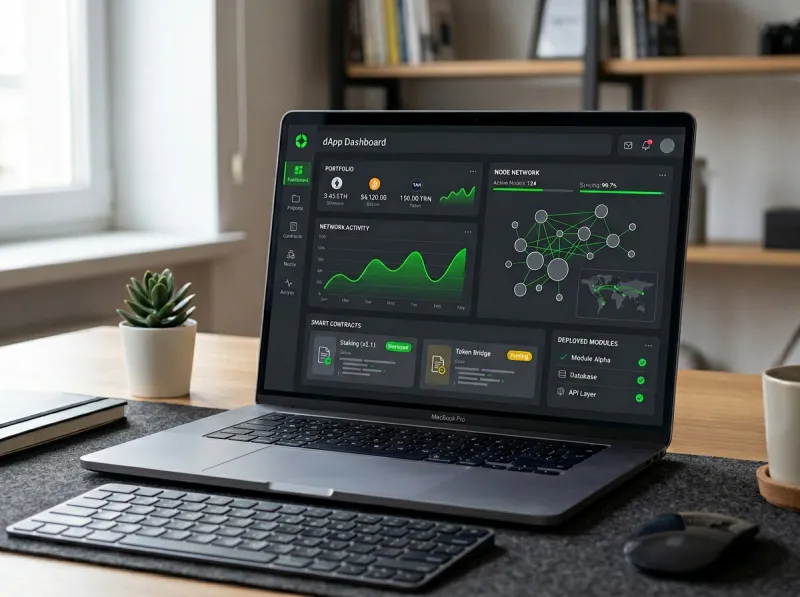
Most dApp tutorials never go into the nitty-gritty of hosting applications. They might walk you through writing Solidity, deploying to a testnet, and even connecting a wallet. However, they mostly leave out the part that’s most important to many people: hosting.
This problem exists because most tutorials are written by people focused on the blockchain layer. While that part is just as important, a dApp is still a web application at its core, and web applications need to be hosted somewhere. The smart contracts live on-chain permanently once deployed, but your frontend still needs a real server.
That's what this guide is about. By the end, you'll know how to host your dApp and get it running.
What Is a Decentralized Application (dApp)?
A decentralized application (dApp) is an app that runs on a blockchain rather than on a centralized server controlled by a single company. It is a regular web app, except that its backend logic is in smart contracts deployed on a network like Ethereum. What makes it different from your average website is that:
-
The business logic (smart contracts) lives on-chain and is transparent and immutable
-
Users interact with it through a crypto wallet like MetaMask
-
It is not centralized, meaning no single entity controls or can shut it down
But the frontend of a dApp is still just a website. HTML, CSS, and JavaScript still need to be hosted somewhere. And if you want reliability, speed, where it’s hosted matters a lot.
The Two Sides of Hosting a dApp
Before we go into the how-to, let’s start by discussing the two layers of a dApp:
1. The Smart Contract Layer: This is deployed to the blockchain itself (e.g., Ethereum, Polygon, Binance Smart Chain). Once deployed, it stays there permanently. Note that you don't need a server for this part.
2. The Frontend Layer: This is the user-facing website that talks to your smart contracts via a library like Web3.js or Ethers.js. This does need hosting, just like any other web application.
This guide focuses primarily on the frontend hosting side, which is where most beginners get stuck.
Step 1: Set Up Your Development Environment
Before you can host anything, you need a working local setup. Here's the basic stack most dApp developers start with:
-
Node.js & npm: For managing dependencies and running scripts
-
Hardhat or Truffle: Development frameworks for compiling and testing smart contracts
-
MetaMask: A browser wallet extension for testing your dApp locally
-
Ethers.js or Web3.js: JavaScript libraries for connecting your frontend to the blockchain
Once your environment is set up, you'll write your smart contracts in Solidity, compile them, and test them on a local blockchain. If everything works locally, you can move toward deploying and hosting publicly.
Step 2: Deploy Your Smart Contracts to a Testnet
The rule of thumb here is to always test on a public testnet first. Networks like Sepolia (for Ethereum) let you deploy and interact with real blockchain infrastructure without spending real money.
You'll need a service like Infura or Alchemy to connect to these networks via API. These tools provide a JSON-RPC endpoint, essentially the gateway through which your app communicates with the blockchain. Once you're happy with how things work on testnet, you can redeploy to mainnet when you're ready to go live.
Step 3: Build and Prepare Your Frontend
Your frontend is typically a React or Next.js app that uses Ethers.js or Web3.js to communicate with your deployed smart contracts. When a user visits your site and connects their wallet, the JavaScript in your app communicates with the blockchain and invokes your contract functions.
When it's time to go live, you'll build your frontend into a set of static files: npm run build
This produces a /build or /dist folder containing optimized HTML, CSS, and JavaScript, which is exactly what needs to be deployed to your hosting environment.
Step 4: Choose Where to Host Your Frontend
This is one of the biggest decisions you’ll make because it can affect performance. You have a few options, including:
Option A: Decentralized Storage (IPFS / Arweave)
For maximum decentralization, many developers host their frontend on IPFS (InterPlanetary File System) or Arweave. These platforms store files across a distributed network, while tools like Fleek make it fairly straightforward to deploy to IPFS with a GitHub integration.
The downside here is that performance and reliability can vary. If a file isn't being pinned by enough nodes, it may become slow or temporarily unavailable.
Option B: A VPS (Virtual Private Server)
For developers who want full control, better performance, and the ability to configure their environment exactly as needed, a Linux VPS is often the smarter choice. With a VPS, you can:
-
Serve your frontend with a lightweight web server like Nginx
-
Set up custom domains and SSL certificates with ease
-
Run backend services alongside your frontend (e.g., an API layer, a caching service, or a database for off-chain data)
-
Scale up resources as your dApp gains users
BaCloud's Linux KVM VPS hosting runs on NVMe SSD storage and lets you choose from popular Linux distributions with instant delivery. For a dApp frontend that needs to be consistently fast and available, this kind of reliable infrastructure might just be your best bet.
Option C: Traditional Web Hosting
Shared hosting works for very simple dApps, but you'll quickly hit limits if your project grows or if you need custom server configuration. It's fine to start here, but if you plan to scale, please plan to migrate.
Step 5: Deploy Your Frontend to a VPS
If you've gone the VPS route (the recommended path for anything beyond a hobby project), here's how to get your frontend live:
1. Connect to your server via SSH
ssh root@your-server-ip
2. Install Nginx
sudo apt update
sudo apt install nginx
3. Upload your build files
Use SCP or rsync to copy your /build folder to your server:
scp -r ./build root@your-server-ip:/var/www/your-dapp
4. Configure Nginx
Create a config file in /etc/nginx/sites-available/ pointing to your build folder, then enable it and restart Nginx.
5. Set up SSL with Let's Encrypt
sudo apt install certbot python3-certbot-nginx
sudo certbot --nginx -d yourdomain.com
With that, your dApp frontend is live and served securely over HTTPS.
Step 6: Connect Everything Together
With your smart contracts deployed and your frontend hosted, the last step is to make sure they communicate and respond correctly. In your JavaScript code, you'll reference your deployed contract address and ABI (the contract's interface) and point your Ethers.js or Web3.js instance to the correct network.
Double-check that:
-
Your contract address in the frontend matches what was deployed to mainnet (not testnet)
-
Your RPC endpoint (from Infura or Alchemy) is pointing to the correct network
-
MetaMask is prompting users to connect to the right chain
You should run a quick end-to-end test with a real wallet on mainnet before announcing anything publicly.
Wrapping Up
Hosting a dApp is really two jobs in one: deploying your smart contracts to the blockchain, and hosting your frontend like you would any modern web application. The blockchain side handles itself once deployed. However, for the frontend, choosing the right hosting environment helps with performance, reliability, and scalability.
For heavy projects, a Linux VPS gives you the control and performance you need without overcomplicating things. It's a clean, affordable way to get your dApp in front of users and keep it running smoothly once they arrive. Happy building!